
2 min read
Product Spotlight: Excise Tax Collection
Network operators and site owners can now account for excise tax.
Why this matters:
- Tax compliance is foundational to operating in any market
- As of May 2026, nine states tax public charging — up sharply in just a couple years, with Minnesota’s $0.05 per kWh excise tax set to kick in July 2027.
- Operators in dual-tax US jurisdictions can report on sales and excise taxes in one place
- Drivers get full transparency with no change to what they pay
What’s new:
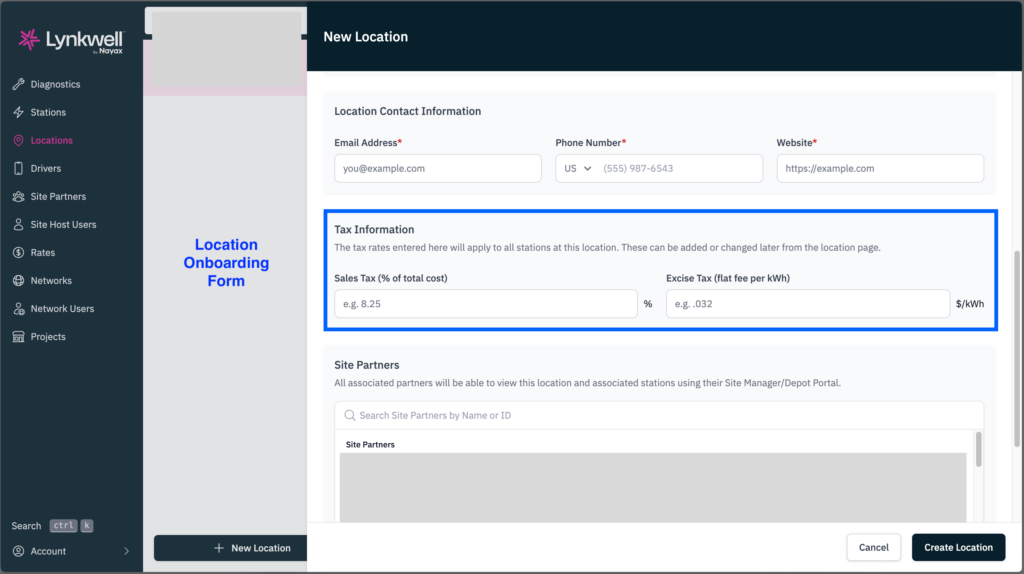
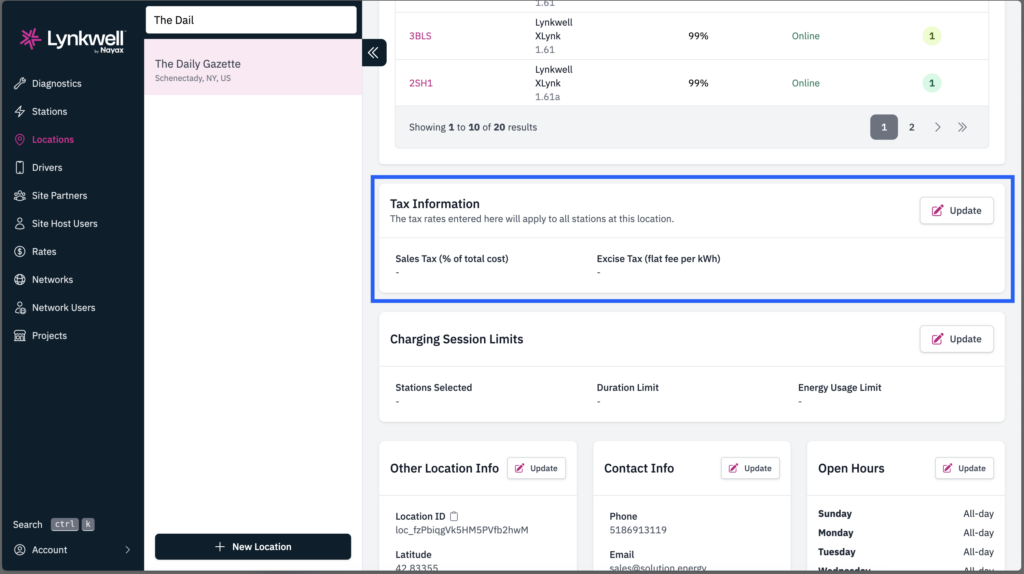
Taxes can be defined per location:
- Sales tax — set as a percentage
- Excise tax — set as a flat per-kWh rate
All pricing remains tax-inclusive. Setting a rate doesn’t mean raising your prices or passing a new cost on to drivers — it simply lets you report the tax as part of what you’re already charging, keeping your pricing exactly as it is while staying compliant.
We calculate and itemize the tax; we do not remit it. Remittance stays with the liable party.
Capabilities by user:
- Network Operators — define tax rates during location onboarding and generate tax reports for any time range from the CSMS
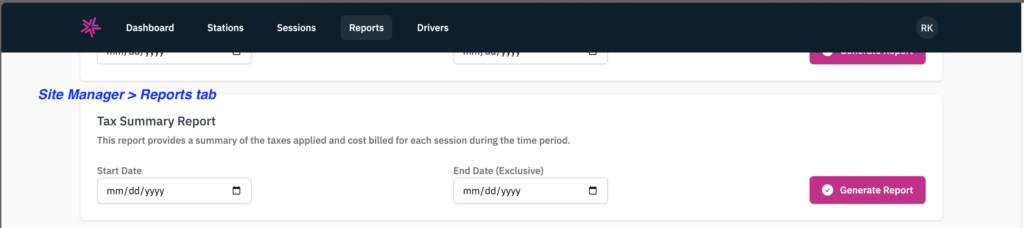
- Site Owners — communicate your rate to the network during onboarding. From the Site Manager portal, you can view per-session tax on the “Sessions” tab and generate tax reports for any time range
- Drivers — see tax-inclusive pricing everywhere in the app and at guest charging, with fully itemized receipts breaking out session cost, discounts, and the tax already included in their total.
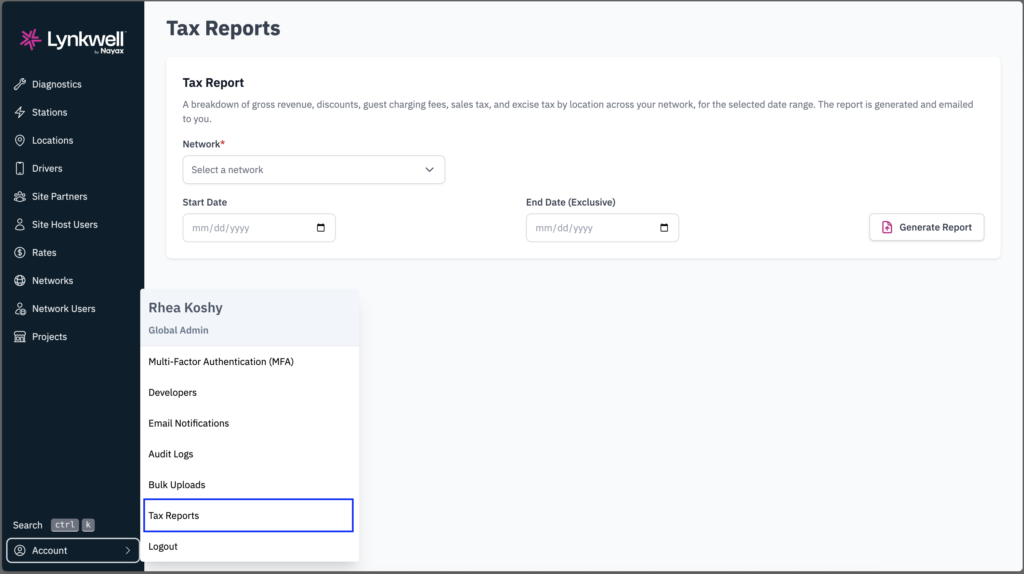
For Support & Account Management:
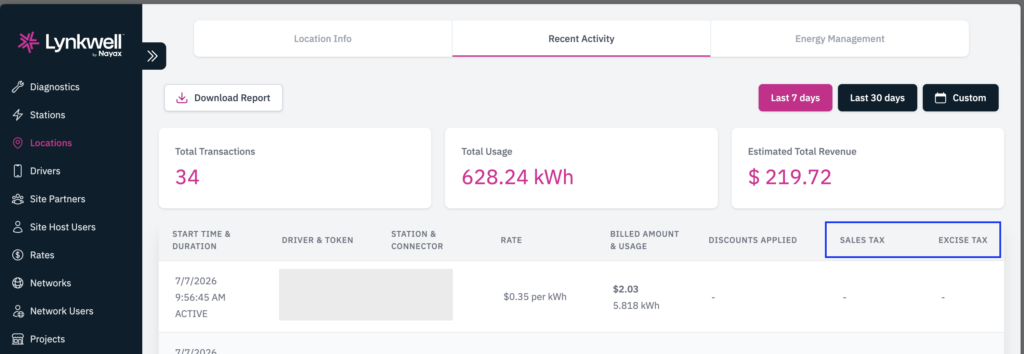
Tax amount is visible across all session data:
- CSMS — Recent Activity (Location and Driver tabs) and the Tax Report
- Site Manager — Sessions tab and the Tax Report
Additional Notes:
- Tax is calculated only after the rate is set for the location. Historical data will not contain tax information.
- Liable party is defined by the contract between the network operator and the site host.
- On Site Manager portal, the Daily Station Usage report (containing session data) also reports tax amounts for each session.
Please reach out to the Lynkwell team with any questions:
Related Insights
Discover news, perspectives, education and more from Lynkwell’s team of experts.
Product Spotlight: Vialynk Location Page
New Product Update (Driver Mobile App): The Location page now responds to driver actions The moment a driver plugs in, t…
Product Spotlight: Rate Change Request
What is this feature? Through your Site Manager portal, you can now request updates to your charging rates in just a few…
Product Spotlight: In-App Payment Retry
What is In-App Payment Retry? In-App Payment Retry gives EV drivers the ability to resolve failed or pending payments di…